Building things for people who build things. Design Engineer @NotionHQ. Previously @GitHubNext. Creator of feathericons.com. Working on @lumen_notes

Joined September 2010
389 Photos and videos
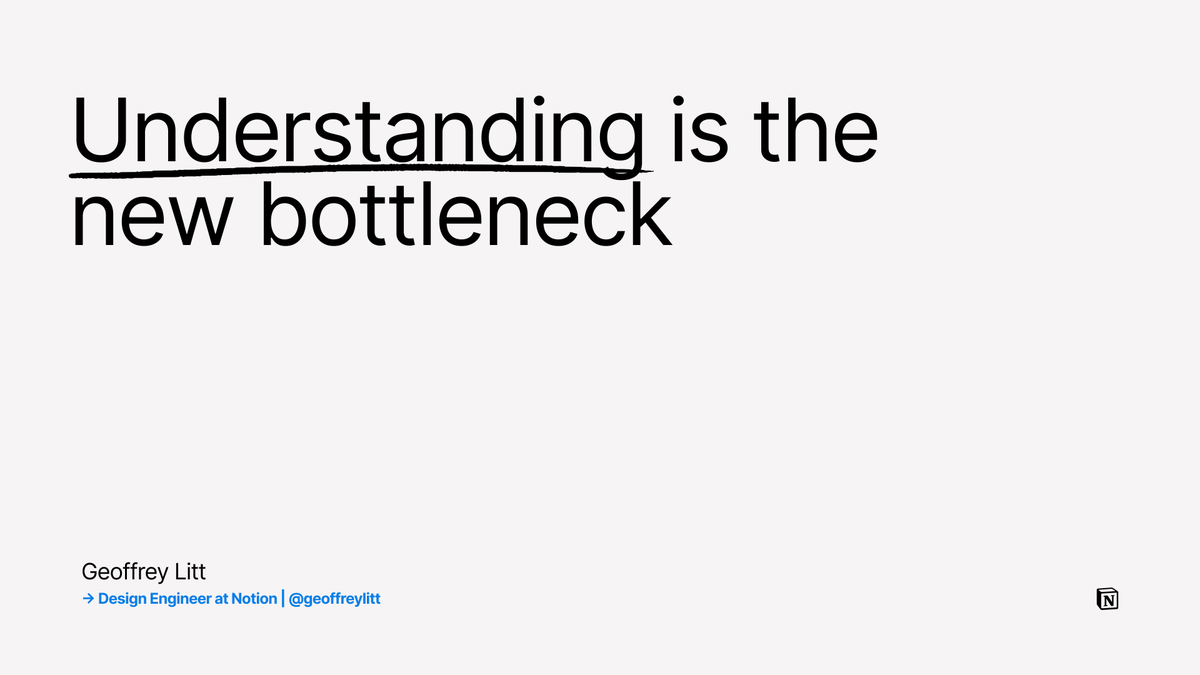
Now I can read @geoffreylitt's mega thread in presentation mode 😄
37
3,400
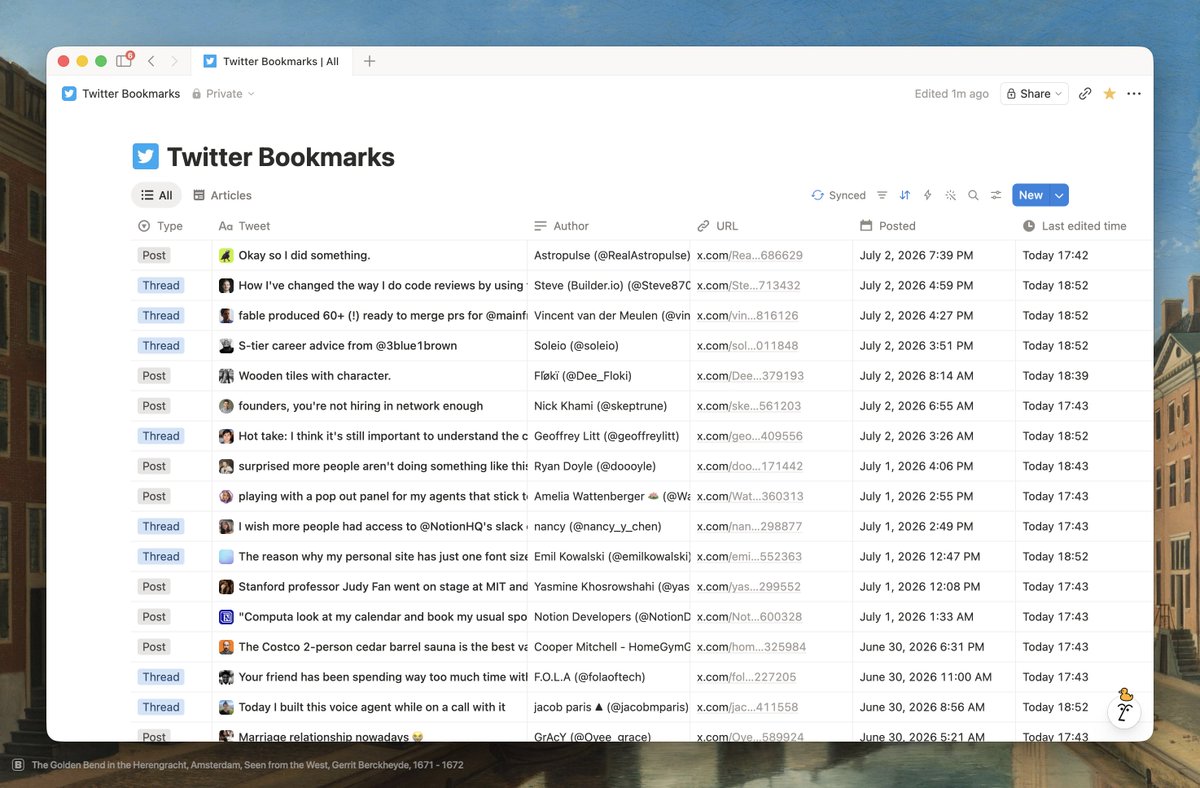
Twitter Bookmarks 🤝 Notion
25
25
588
67,742
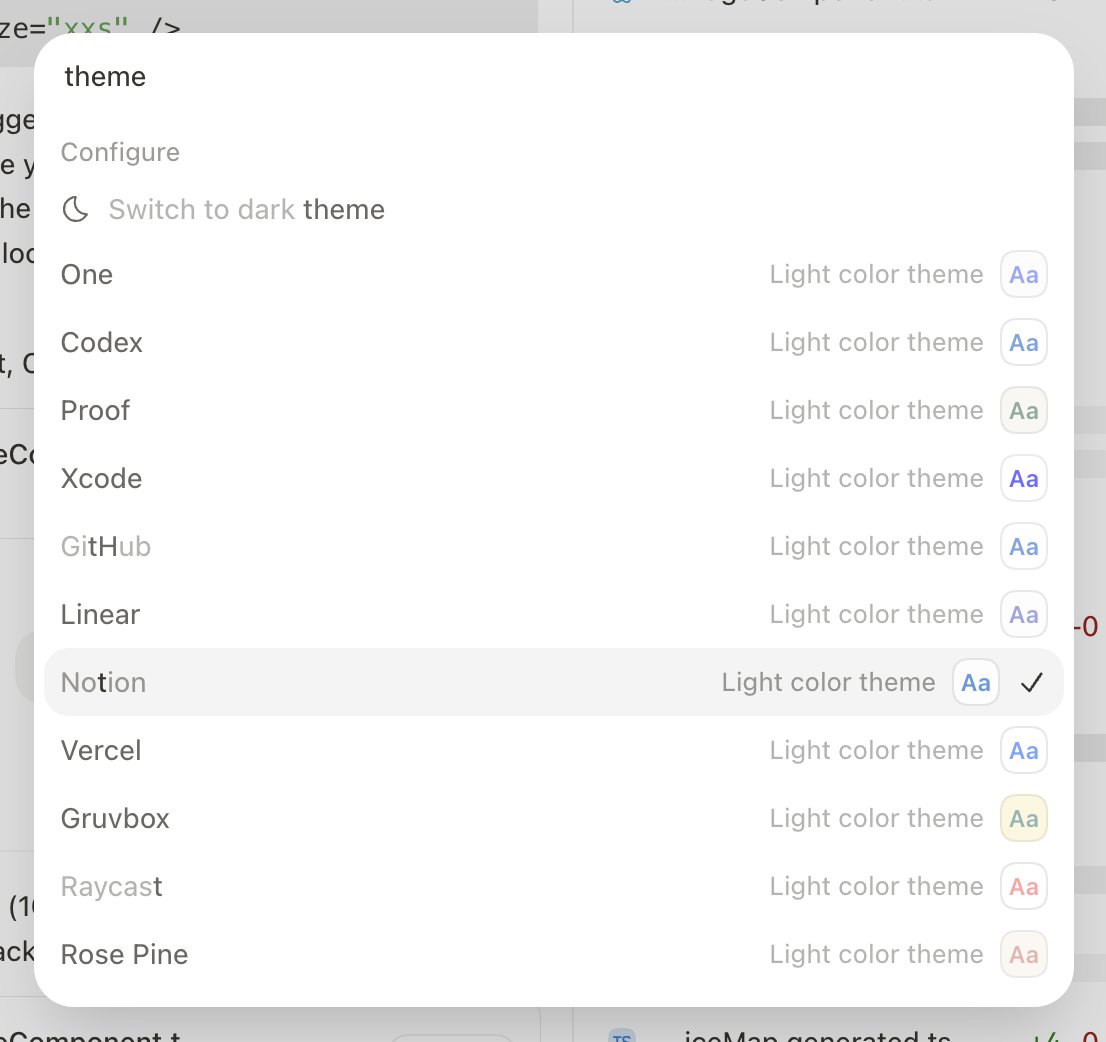
TIL there's a Notion theme in the Codex app
4
1
81
8,466
This is the real unlock ;)
We heard people asking for this yesterday, so we built & shipped it! HTML blocks now work with any agent via MCP 🫡
6
1
68
11,596
Cole Bemis reposted
OK, so that's explain-diff. Here's the skill if you want it: two variants that output either HTML or Notion page. 23/ gist.github.com/geoffreylitt…
2
10
176
9,401
Cole Bemis reposted
Hot take: I think it's still important to understand the code that our agents write! In this mega thread (based on my AIE talk today), I will explain why that's the case, and show some ideas for how to efficiently understand code. Alright, let's dive in. 1/
96
386
2,901
396,728
Very excited about this
New block in Notion: HTML. Build interactive HTML right on your Notion page. Ask AI to turn your content into interactive explainers, prototypes, or diagrams. Share with your team to use and tinker together.
1
19
2,118
Cole Bemis reposted
New block in Notion: HTML. Build interactive HTML right on your Notion page. Ask AI to turn your content into interactive explainers, prototypes, or diagrams. Share with your team to use and tinker together.
201
392
4,752
1,524,441
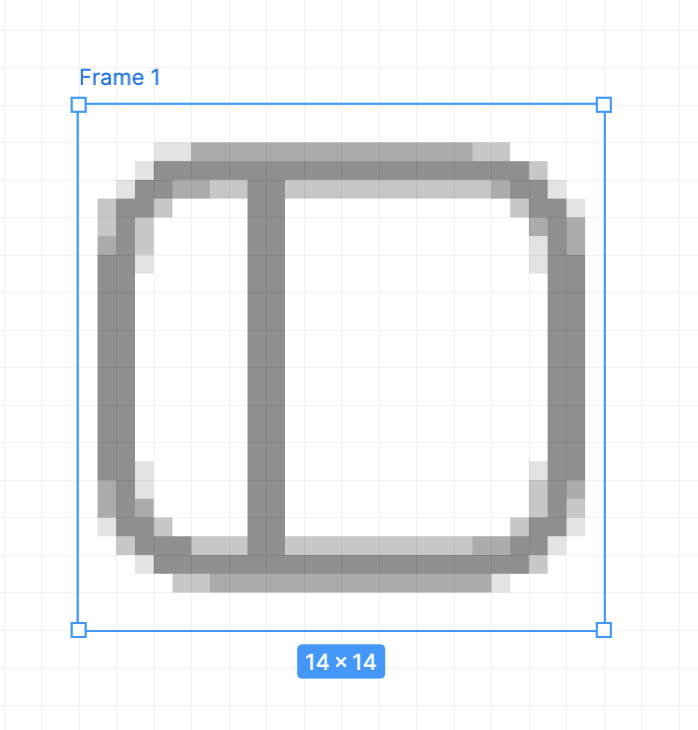
They're also different sizes
5
440
I love the Codex app but the inconsistency between the left and right sidebar icons is driving me crazy left: - closed = connected sidebar icon - open = disconnected sidebar icon right: - closed = disconnected sidebar icon - open = connected sidebar icon
4
26
3,181
How can we make the Notion Web Clipper better? What's on your wishlist?
29
7
41
11,248
Cole Bemis reposted
@mschoening and I started a podcast about malleable software and AI! Today's episode: - How to preserve a sense of play as AI gets more expensive? - Sharing our custom setups for using agents at home - What's the future of open APIs for consumer apps? - When is AI writing OK, and when is it rude? > Watch on YT: youtu.be/vLtCSjYrWZ0 > Listen on Spotify: open.spotify.com/episode/1zf… > RSS: anchor.fm/s/1131bf314/podcas…
6
6
71
13,523
Record & Replay in Codex is magic
2
24
2,809
My "Stream" database in @NotionHQ lets me dump everything (ideas, links, tasks) into one place and have a custom agent sort it out. If you want to create your own Stream, paste this into Notion AI: Help me set up a Stream system in my workspace. Walk me through it conversationally, one question at a time, and use good judgment to fill gaps. 1. Stream database — Explain that Stream is a place to capture whatever is on my mind (ideas, links, tasks, anything in between). Ask whether I already have a database like that or want you to create one. If you create it, make a simple one called "Stream" with a title and a created-time property, shown as a feed view sorted newest-first (reverse chronological by created time). 2. Connected databases — Ask which databases the agent should be able to act on (e.g. Tasks, Movies, Books, etc.). Offer to create any I want that don't exist yet. Also ask whether I want the agent to be able to create calendar events. If I do, connect my Calendar and let it create events without asking for permission each time. 3. Create the agent — Give it a clear name, the description "Acts on quick captures when needed", and a blue sign icon. 4. Triggers — Set it to run when a new page is created in the Stream database, and when I @ mention it. 5. Instructions — Set the agent's instructions to exactly the text between the <instructions> tags (swap {DATABASE_NAME} for my Stream database's name, and leave a spot where {MEMORY_DATABASE} appears for the Memory database in the next step): <instructions> {DATABASE_NAME} is where I capture whatever crosses my mind: ideas, links, tasks, and everything in between. It is not an inbox to drain. Your job is to read {DATABASE_NAME} entries and decide what, if anything, should happen next across my Notion workspace and connected tools. Always look for relevant memories before acting. Do not create, update, or delete anything when the right action is unclear. Use page comments to tell me what you did or ask for clarification when you are unsure what to do. If you created or updated any Notion pages, mention each one in the comment using <mention-page url="PAGE_URL"/>. Save durable preferences and corrections about how to handle {DATABASE_NAME} entries in Memory. Keep each memory atomic. If a new memory is similar to an existing one, update the existing memory instead of creating a duplicate. If a new memory contradicts an existing one, replace the old memory. {MEMORY_DATABASE} </instructions> 6. Memory database — Create an inline "Memory" database inside the agent's instructions, where {MEMORY_DATABASE} appears. 7. Permissions — Give the agent comment access to the Stream database, full access to its Memory database, full access to whatever databases I picked, and the ability to search the web. If I asked for calendar events, also give it permission to create them without asking each time. 8. Wrap up — Remind me that the agent won't be active until I open it and click "Save" — make this clear so I don't miss it, and give me a direct link to the agent so it's easy to open and save. Then give me a short, friendly walkthrough of my new workflow: what the Stream database is for, how to capture things into it, what the agent will do when I add an entry or @ mention it, where it leaves comments, and how Memory makes it smarter over time. Then give me one concrete thing to do right now to test it — ideally tailored to the databases I connected (e.g. if I connected a Tasks database, tell me to capture something like "buy milk" into Stream and watch it turn into a task with a comment back; if I connected Movies, tell me to drop in a film I want to watch). Make it feel like opening something well made.
Does anyone else have a catch-all @NotionHQ database where they dump everything (thoughts, links, todos, etc) and have AI agents sort through it? Mine is called Stream 🌊
7
5
75
17,554
Agent instructions: Stream is where I capture whatever crosses my mind: ideas, links, tasks, and everything in between. It is not an inbox to drain. Your job is to read Stream entries and decide what, if anything, should happen next across my Notion workspace and connected tools. Always look for relevant memories before acting. Do not create, update, or delete anything when the right action is unclear. Use page comments to tell me what you did or ask for clarification when you are unsure what to do. If you created or updated any Notion pages, mention each one in the comment using `<mention-page url="PAGE_URL"/>`. Save durable preferences and corrections about how to handle Stream entries in Memory. Keep each memory atomic. If a new memory is similar to an existing one, update the existing memory instead of creating a duplicate. If a new memory contradicts an existing one, replace the old memory.
3
13
996
Update: I simplified my quick capture setup in @NotionHQ 5 agents → 1 agent with six lines of instructions
Does anyone else have a catch-all @NotionHQ database where they dump everything (thoughts, links, todos, etc) and have AI agents sort through it? Mine is called Stream 🌊
3
4
36
16,310
Loving these interviews @varadh. Worth a watch
Context Conversations If you have ever tried @NotionHQ and are curious on how you can get the most out of it, you'll enjoy this behind-the-scenes! @sbcatania has one of the best personal and workplace setups: - A personal dashboard for his docs, meetings, customer insights - 1-click flows for engineering to join customer calls - Custom agents that help file directly into Linear from Slack, powered by Notion Workers I've been at Notion for for 95 days now and the biggest opportunity is the gap between how most people use the product vs. how powerful it can be. Closing the gap is now a sidequest of mine :)
2
12
2,763
This is what real collaboration looks like
2
17
1,015
Codex continues to blow my mind. I asked it to debug a UI animation and it created a screen recording to demo the animation 🤯
1
11
954